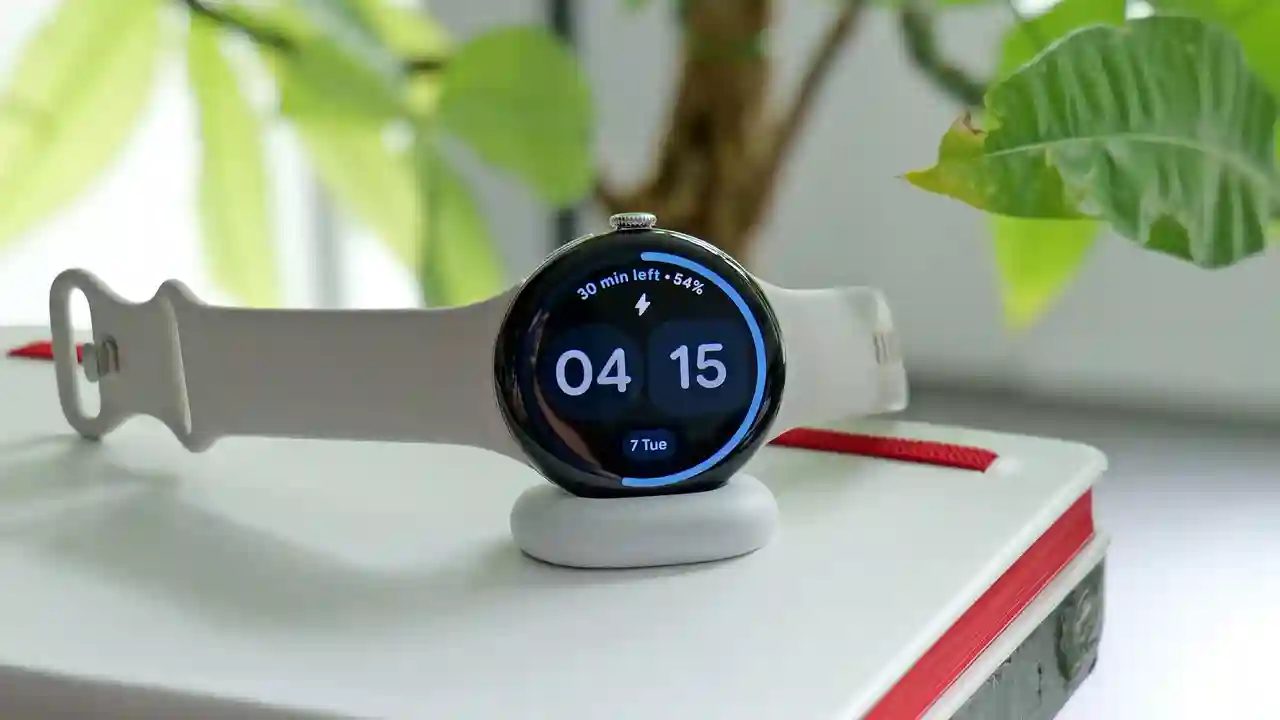
Google enhances the Pixel Watch 4 with new one-handed gesture controls just two months after launch, addressing a key review criticism about missing hands-free interactions. The update introduces double pinch for quick actions like answering calls and wrist turn for dismissing notifications, directly inspired by Apple Watch features. These additions elevate the Pixel Watch 4 from solid smartwatch to more intuitive daily companion, earning praise for filling a noticeable usability gap.
Double Pinch: Apple’s Gesture Meets Pixel Polish
Double pinch mimics Apple Watch’s double tap: users pinch thumb and forefinger together twice on the same hand to answer/end calls, pause timers, or trigger contextual commands. On-screen “context hints” guide when gestures are available, reducing guesswork during workouts, cooking, or distractions. This eliminates fumbling with tiny buttons on sweaty fingers or gloves, making the watch genuinely hands-free for essential functions.
Gesture accuracy improves through advanced sensor fusion—accelerometers, gyroscopes, and machine learning distinguish intentional pinches from natural hand movements. Early testers report reliable detection even mid-stride, a leap over previous finicky implementations that plagued early Android Wear gestures.
Wrist Turn Replaces Scroll for Smarter Dismissals
Existing wrist rotation scrolls notifications; the update repurposes this motion for dismissals—clear alerts, reject calls, or close cards with a simple flick. This frees up the scroll gesture for dedicated navigation while adding intuitive swipe-away functionality. Combined with double pinch, users navigate core interactions without touching the screen, ideal for accessibility or hygiene-conscious scenarios.
Google refines raise-to-talk for Gemini activation, adding step-by-step tutorials to smooth onboarding. Previously finicky (requiring homepage start and precise wrist-to-mouth angle), the improved flow promises broader usability across diverse hand sizes and movement patterns.
Gesture Evolution Across Wear OS Watches
| Feature | Pixel Watch 4 | Pixel Watch 3 | Apple Watch |
|---|---|---|---|
| Double Pinch/Tap | Yes (new) | No | Yes |
| Wrist Dismiss/Scroll | Yes (new) | Scroll only | Flick available |
| Context Hints | Yes | No | Similar |
| Raise to Talk | Improved | Basic | Siri optimized |
Review Impact and Competitive Positioning
Engadget’s 86/100 review praised Pixel Watch 4’s well-rounded design and repairable case but docked points for absent gestures. This update directly addresses that critique, potentially pushing scores toward 90+ territory. Against Apple Watch Series 10 and Ultra 2, Pixel now matches core hands-free features while retaining Wear OS flexibility—Google app ecosystem, Fitbit integration, and customizable watch faces.
Strategic timing coincides with holiday returns and upgrade cycles, making Watch 4 more compelling versus holding older models. Pixel Watch 3 owners express frustration over exclusion despite similar hardware, suggesting deliberate differentiation to drive sales.
Real-World Gesture Applications
- Calls: Double pinch accepts mid-run without stopping.
- Timers: Pause cooking hands-free from across the kitchen.
- Notifications: Wrist flick clears alerts during meetings.
- Workouts: Dismiss music controls without sweaty fingers.
- Accessibility: Essential for motor challenges or glove use.
Enabling Gestures on Pixel Watch 4
- Ensure Wear OS receives the latest system update notification.
- Open Settings > Gestures & motion from watch face.
- Toggle “Double Pinch” and “Wrist Turn” switches.
- Follow on-screen calibration prompts for hand orientation.
- Test with sample call/timer; adjust sensitivity sliders.
- Enable “Context Hints” for visual gesture guidance.
- Practice raise-to-talk tutorial for Gemini optimization.
Pixel Watch 4’s gesture suite transforms theoretical convenience into daily reality, borrowing Apple’s best ideas while adding contextual intelligence. No longer playing catch-up, Google delivers mature Wear OS polish that rivals watchOS fluidity. For existing owners, the free update justifies retention; for upgraders, it seals the deal against Samsung Galaxy Watch 8 competitors. Hands-free finally feels native on Android wrist, closing the usability gap one intuitive pinch at a time.