
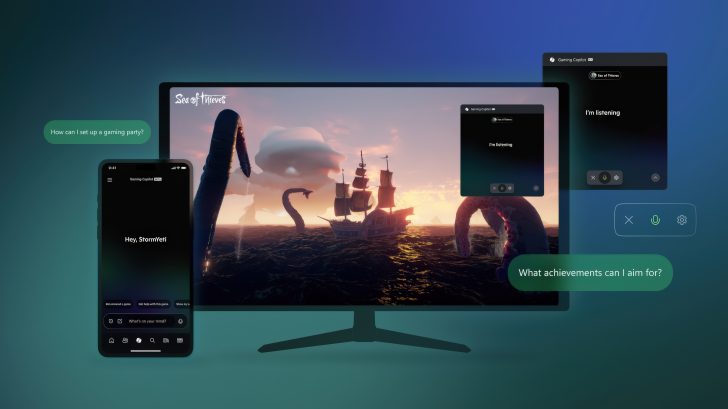
Last week, a ResetEra user uncovered that Microsoft’s new Gaming Copilot AI—automatically installed on all Windows 11 PCs and integrated directly into the Game Bar—was screenshotting gameplay sessions and sending the images back to Microsoft. The feature, enabled by default, appeared to collect data without user consent. To disable it, users must head to the Game Bar’s Settings, then open the Privacy Settings menu, where they can find an option related to “Model training on text.”
The discovery quickly sparked controversy, with many users calling the AI’s behavior intrusive and opaque. Concerns centered on how deeply the tool integrates with local gameplay activity and the lack of clear communication about its data practices.
In response, Microsoft told Tom’s Hardware that Gaming Copilot does not use screenshots to train AI models. Instead, it uses brief captures of gameplay only while actively assisting the player, claiming they serve to enhance real-time responses. According to the company:
“When you’re actively using Gaming Copilot in Game Bar, it can use screenshots of your gameplay to better understand what’s happening in your game and provide more helpful responses. These screenshots are not used to train AI models, and Gaming Copilot is an optional feature that only has access to gameplay when you’re playing a game and actively using it. Separately, Gaming Copilot may use its text or voice conversations with players to help train and improve AI. Players can adjust Gaming Copilot’s privacy settings by visiting ‘Settings’ in the Game Bar, followed by ‘Privacy Settings.’”
Gaming Copilot began testing earlier this year on mobile devices, with a global rollout starting last month on both PCs and the Xbox mobile app. Microsoft describes the tool as a digital sidekick for gamers: it can identify which game is being played, interpret Xbox activity, answer game-related questions, share relevant links, and provide guidance based on a user’s play history and achievements.
While the premise offers convenience, privacy advocates argue that such functionality should be strictly opt-in. Enabling data-sharing features by default pushes the boundaries of user consent and could clash with privacy laws in certain regions. For many, Microsoft’s next move will determine whether Gaming Copilot becomes a trusted assistant—or just another overreaching background process.